
Xov xwm tseem ceeb: Siv tau zoo thiab ntse, pab kom ua tau sai dua - lub tshuab sib dhos ntsia hlau ntau lub desktop tshiab tau tso tawm tsis tau xav txog Tsis ntev los no, lub tshuab sib dhos ntsia hlau ntau lub desktop tshiab tau tso tawm, uas tau ua rau muaj kev txhawj xeeb loj hauv kev lag luam. Lub tshuab sib dhos no siv cov thev naus laus zis automation siab heev los muab cov kev daws teeb meem sib dhos ntsia hlau zoo thiab raug rau cov kab ntau lawm, uas yuav txhim kho kev ua haujlwm zoo thiab cov khoom zoo. Lub tshuab sib dhos ntsia hlau ntau lub axis no muaj ntau caj npab robotic, uas tuaj yeem sib dhos ntau lub ntsia hlau tib lub sijhawm, uas ua rau lub sijhawm sib dhos luv dua thiab thawb qhov ceev ntawm kev tsim khoom mus rau qhov siab tshiab. Los ntawm lub kaw lus tswj ntse, lub tshuab sib dhos tuaj yeem hloov kho qhov sib dhos ntsia hlau thiab qhov ceev raws li qhov yuav tsum tau ua haujlwm kom ua tiav cov txheej txheem sib dhos zoo thiab txuas ntxiv mus. Tsis tas yuav cuam tshuam tes, lub tshuab sib dhos tuaj yeem ua tiav cov haujlwm nruj ntsia hlau, txo cov nqi zog ua haujlwm thiab kev siv zog ua haujlwm, thaum ua kom ntseeg tau tias qhov sib xws thiab ruaj khov ntawm qhov zoo ntawm kev sib dhos. Ntxiv nrog rau kev ua haujlwm zoo, lub tshuab sib dhos ntsia hlau ntau lub desktop no kuj tau ua tiav qhov kev vam meej loj hauv kev raug. Nws siv lub sensor thiab qhov system positioning uas muaj qhov tseeb siab, uas tuaj yeem ntes tau qhov chaw thiab lub zog ntawm lub hau ntswj hauv lub sijhawm tiag tiag, thiab kho qhov siab ntawm lub rooj sib txoos kom paub tseeb tias txhua lub hau ntswj tau sib dhos thiab nruj kom raug, zam kev ua yuam kev sib dhos thiab teeb meem zoo.tshuabkuj muaj qhov ua haujlwm ntawm kev hloov kho tsis siv neeg ntawm cov ntsia hlau nruj torque, uas tuaj yeem hloov kho tau raws licov khoom xav tau, thiab nws yog qhov tsim nyog rau kev sib dhos ntsia hlau ntawm ntau yam kev qhia thiab cov ntaub ntawv. Lub tshuab sib dhos ntsia hlau ntau lub desktop no kuj muaj lub interface ua haujlwm tib neeg thiab lub kaw lus tswj hwm ntse, ua rau kev ua haujlwm yooj yim dua thiab yooj yim dua. Los ntawm lub vijtsam kov lossis chaw taws teeb tswj, tus neeg teb xov tooj tuaj yeem teeb tsa cov kev sib dhos yooj yim, saib xyuas cov ntaub ntawv tiag tiag ntawm cov txheej txheem sib dhos thiab hloov kho. Tib lub sijhawm, lub tshuab sib dhos kuj muaj lub kaw lus nrhiav qhov txhaum thiab lub tswb ceeb toom los ntes thiab daws cov xwm txheej tsis zoo hauv cov txheej txheem sib dhos raws sijhawm kom ntseeg tau tias kev ua haujlwm tas mus li thiab ruaj khov ntawm cov kab ntau lawm. Nws nkag siab tias lub tshuab sib dhos ntsia hlau ntau lub desktop tshiab tau siv hauv cov kab ntau lawm hauv ntau qhov chaw, suav nrog cov khoom siv hluav taws xob, tshuab, tsheb thiab lwm yam lag luam, thiab tau txais txiaj ntsig zoo thiab lub koob npe nrov. Nws cov peev xwm sib dhos zoo thiab meej yuav coj kev ceev ceev ntawm kev tsim khoom thiab muaj peev xwm ntau dua rau ntau yam lag luam, thiab pab cov tuam txhab txhim kho lawv cov kev ua haujlwm zoo thiab kev sib tw. Nws ntseeg tias kev tso tawm ntawm lub tshuab sib dhos tshiab no yuav coj kev hloov pauv loj heev rau cov kab ntau lawm thiab coj kev lag luam mus rau kev txawj ntse thiab kev ua haujlwm zoo.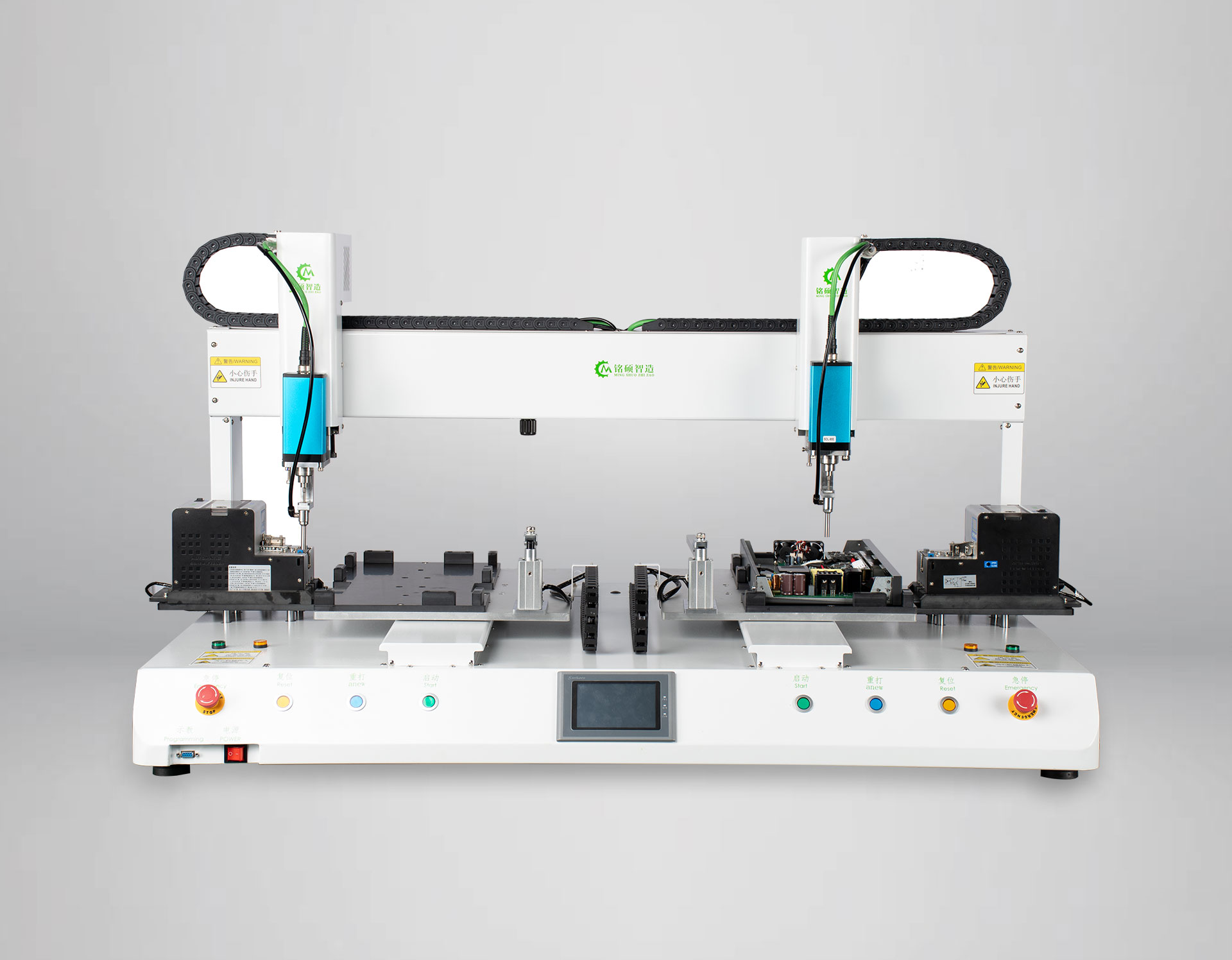
Lub sijhawm tshaj tawm: Lub Rau Hli-29-2023